
7. Motion
Set how the face, body and hands move. Settings are saved separately for each avatar.
Face tracking
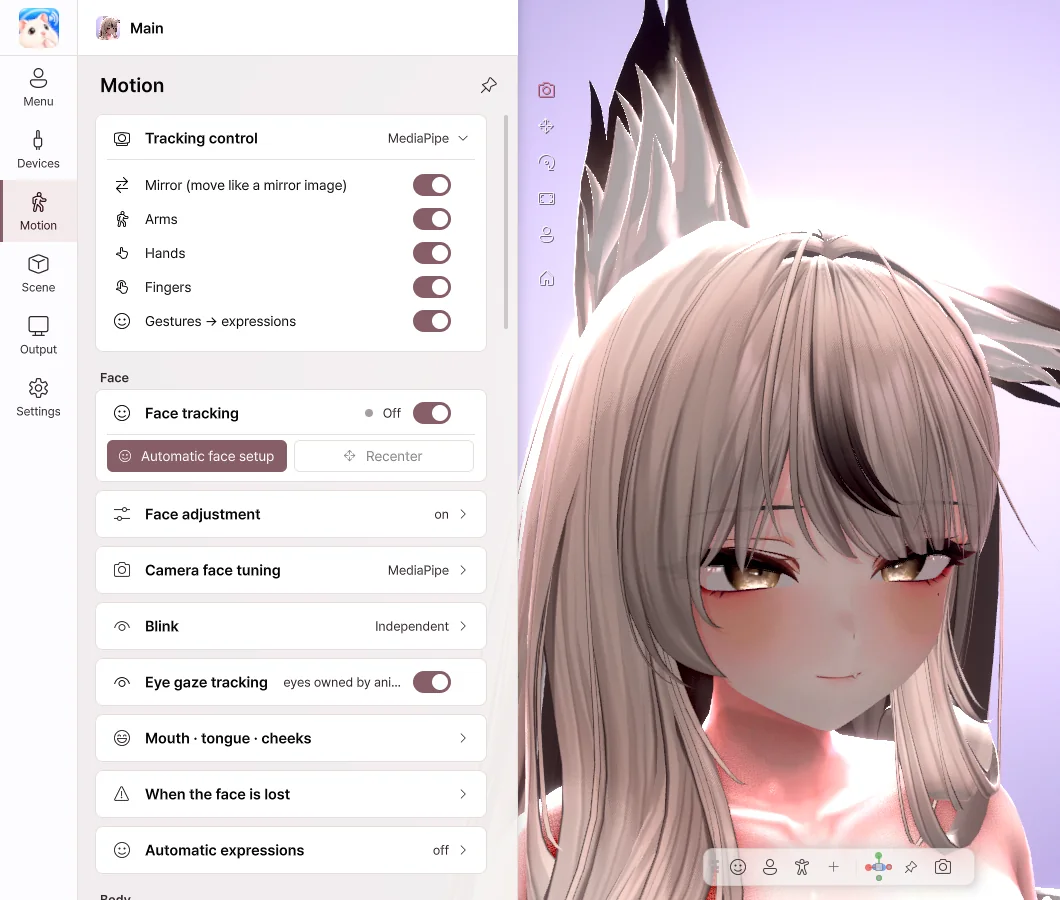
- Mirror — Moves to the same side as you, like a mirror.
- Arms · Hands · Fingers — Moves each part with the webcam.
- Gestures → expressions — The avatar's expression changes to match your hand shape.
- Face tracking — Turns facial expression tracking on and off.
Automatic face setup
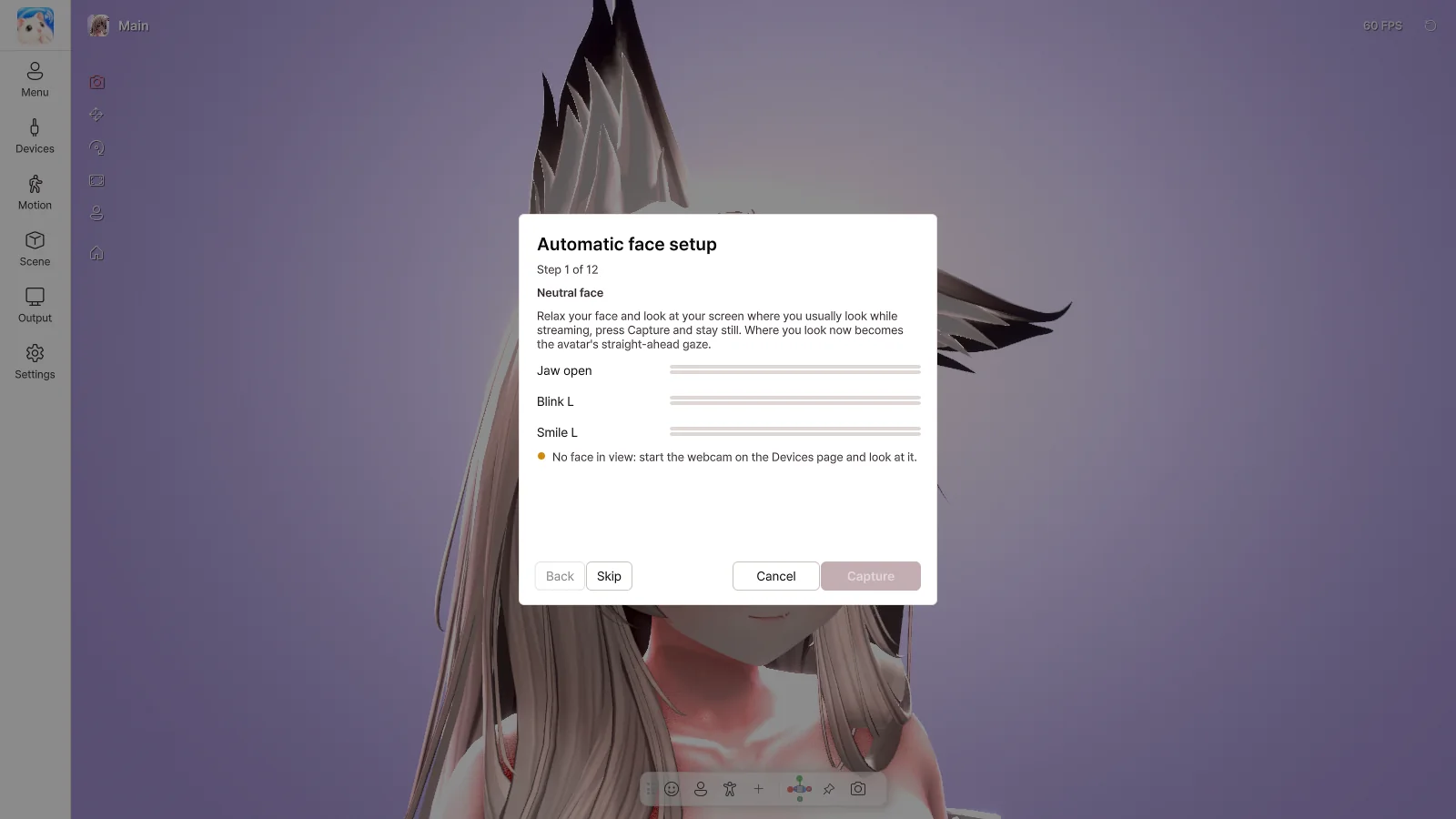
Click the Automatic face setup button to start calibration. Make each expression as the on-screen guide shows, then click Capture. At the end, click Apply, and the expressions are adjusted to fit your face.
Where you look during the first step becomes the avatar's straight-ahead gaze. Please look at the screen the way you do while streaming.
Face adjustment
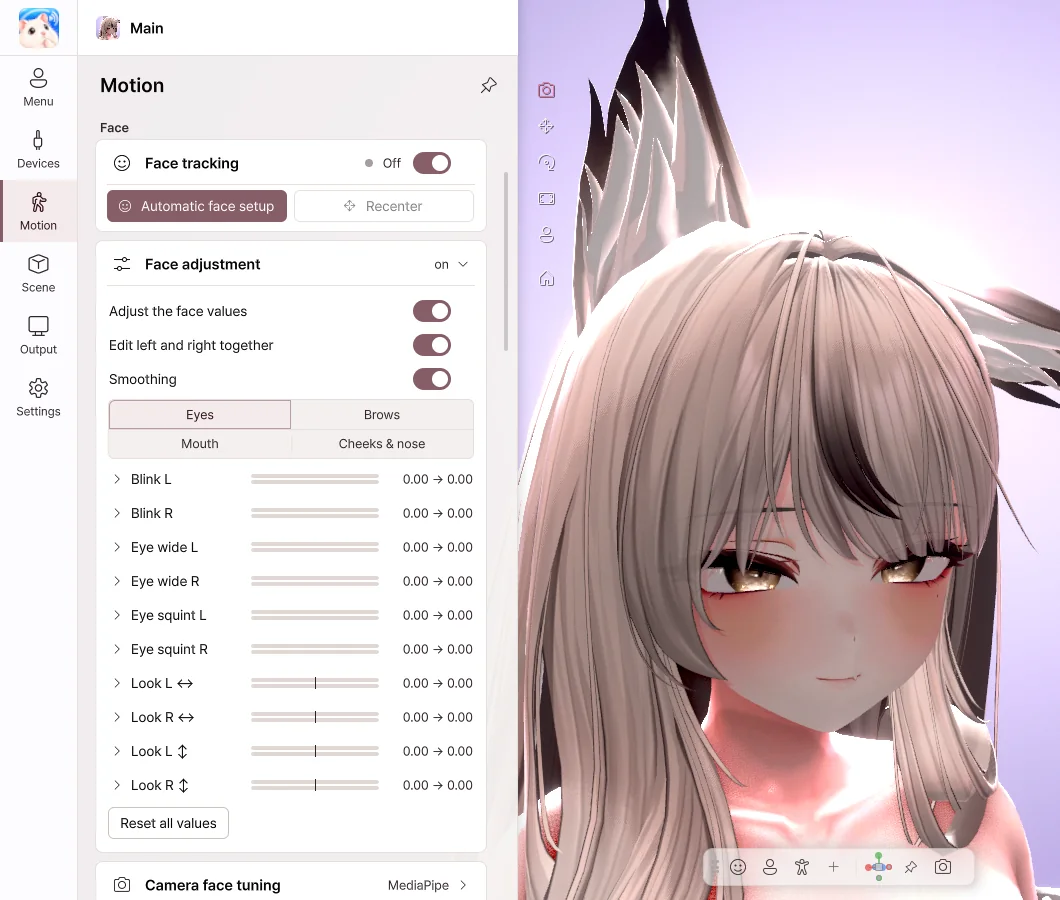
- Adjust, one by one, how strongly the eye, brow, mouth and cheek expressions show.
- Drag a slider to the right, and that expression shows more strongly.
- Turn on Edit left and right together to change both sides at once.
- Turn on Smoothing to reduce jitter in the expressions.
Blink · Mouth
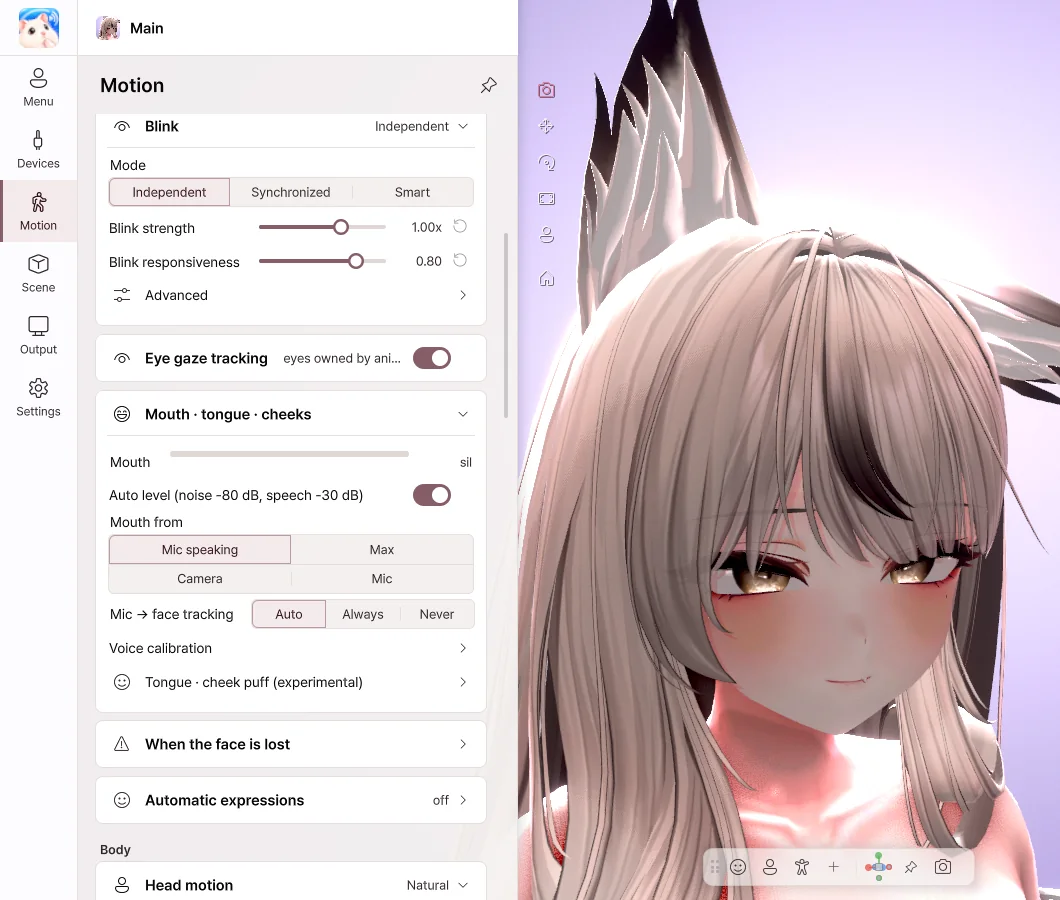
- Blink › Mode — Independent works well for winks, and with Synchronized both eyes close together.
- Eye gaze tracking — The avatar's eyes follow your gaze.
- Auto level — Automatically matches how wide the mouth opens to how loud your voice is.
- Voice calibration — Click a vowel button and say the vowel, and it adapts to your voice.
- Tongue · cheek puff — Stick out the tongue or puff the cheeks with a button or a hotkey.
Body
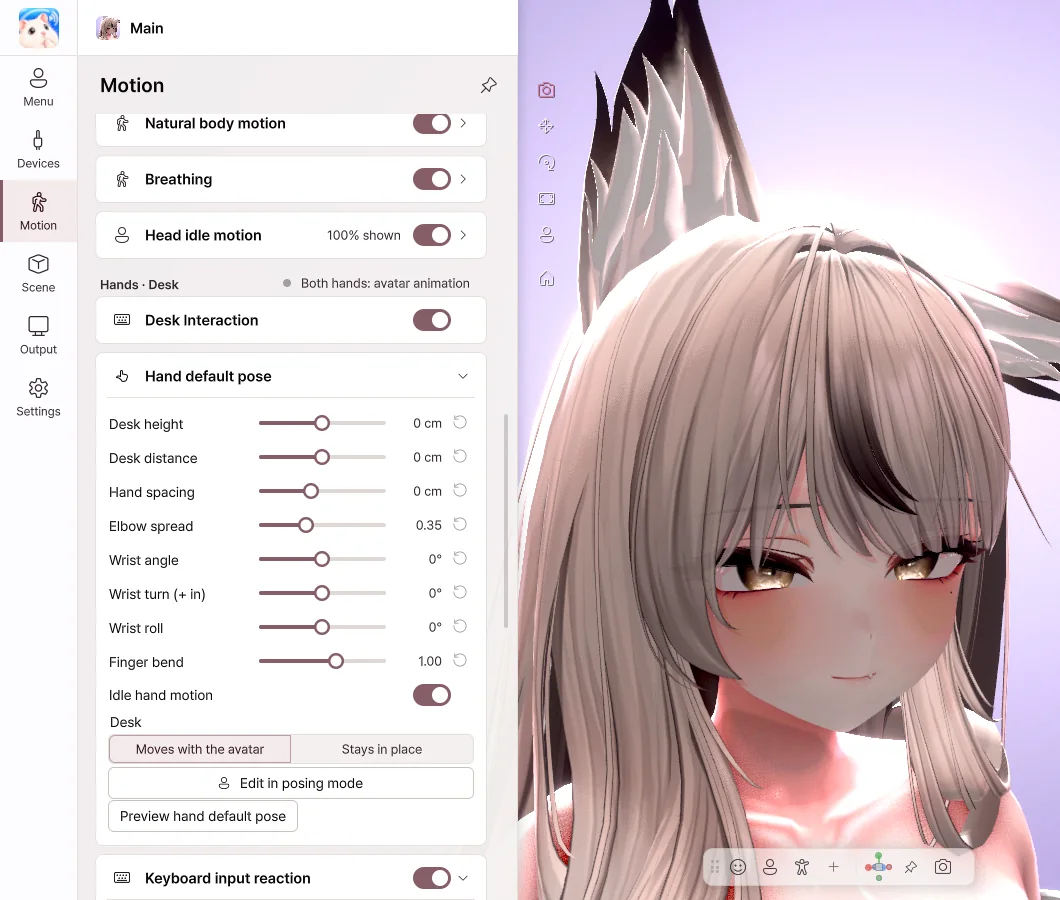
- Head motion — Choose from Subtle · Natural · Expressive.
- Body follow — When you turn your head, the body follows naturally.
- Natural body motion · Breathing — The avatar moves as if it were alive, even while you keep still.
Hands · Desk
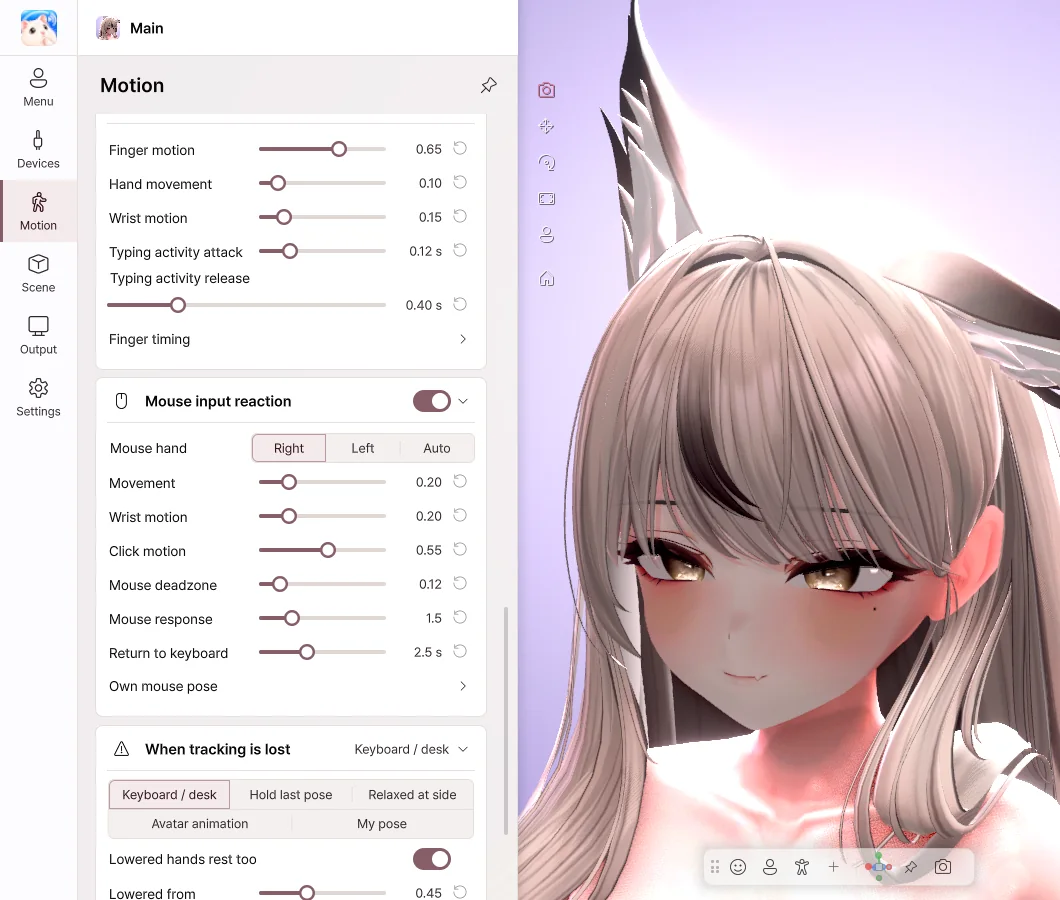
- Desk Interaction — When your hands aren't visible to the camera, the avatar's hands move along with your keyboard and mouse.
- Hand default pose — Adjust the desk height, hand spacing and wrist angle.
- Keyboard · Mouse input reaction — Set how large the typing and mouse movements are.
Keyboard input is used only to move the avatar's hands. The characters you type are not saved or sent.
💡 Camera detection of the tongue and cheek puff is an experimental feature.