10. Settings#
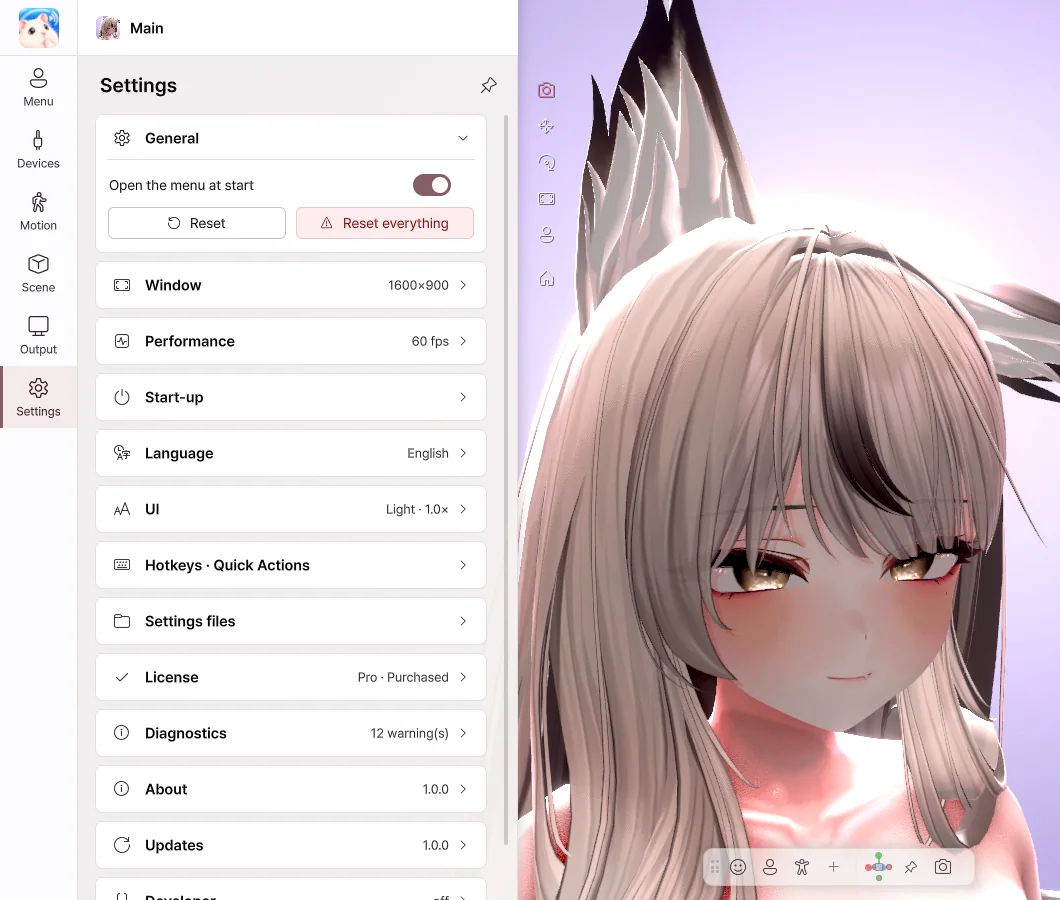 Settings page
- Open the menu at start — Turn it off to start without the menu.
- Window — Set the window size, full screen, always on top, and what the X button does.
- Performance — Set the frame rate and image quality. Lowering them puts less load on your PC.
- Shadows — The shadows that the hair and chin cast on the neck and chest. Turning them off puts less load on the GPU.
- Language — 한국어 · English · 日本語 · 简体中文
- UI — Change the theme, panel position and text size.
Hotkeys#
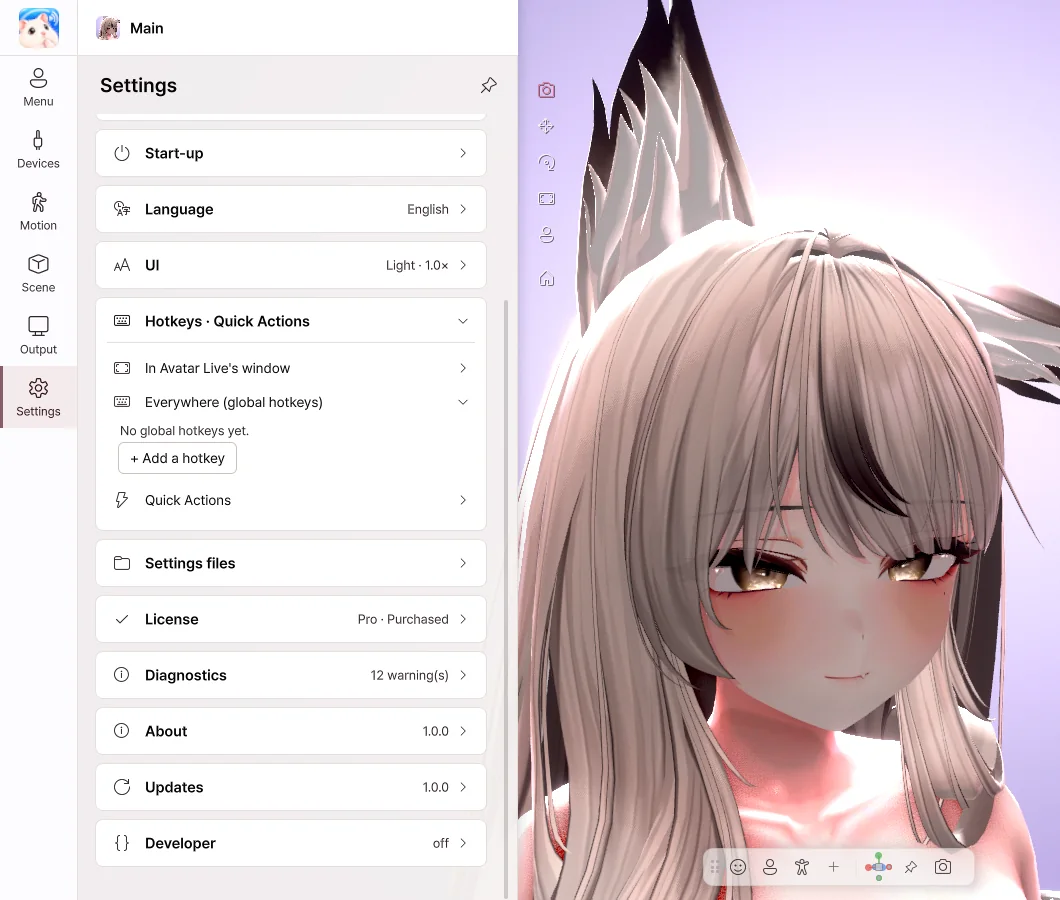 Hotkeys
- Click + Add a hotkey, then choose an action and a key.
- Hotkeys work even while you're in a game or Avatar Live is in the background.
- Your key presses still reach other programs as usual.
- For menu buttons and gestures, you can choose While held or Press to switch.
License#
Check your current edition.
| Button |
What it does |
| Enter another code |
Switches to another license. |
| Upgrade to Pro |
Enter the upgrade you bought on BOOTH to switch to Pro. |
| Check now |
Checks the license again. |
Diagnostics · Updates#
| Item |
What it does |
| Send an error report |
When something goes wrong, sends a description and the logs. It is sent only when you click it. |
| Open log folder |
Lets you look at the log files. |
| Check now · Download |
Checks for a new version and downloads it. |
| Restart to install |
Updates right away. Your avatars and settings stay as they are. |
Last updated: 2026-10-09
